19/10/2026 12:06
Which Gift Set Should You Promote? A Telegram Saved Messages Workflow for Cambodian Shops

A gift shop can have plenty of product photographs and still struggle to choose its next promotion. Basket pictures arrive from a maker, cup colours appear in a supplier conversation, and an older channel post shows packaging that is no longer available. Telegram Saved Messages can help an owner collect these references before deciding what deserves a public post. The useful outcome is a small, checked selection with a clear buying question attached. This guide follows a hypothetical Cambodian gift shop preparing a locally available gift set and explains where an SMM panel decision fits after that preparation.
Start with the buying situation
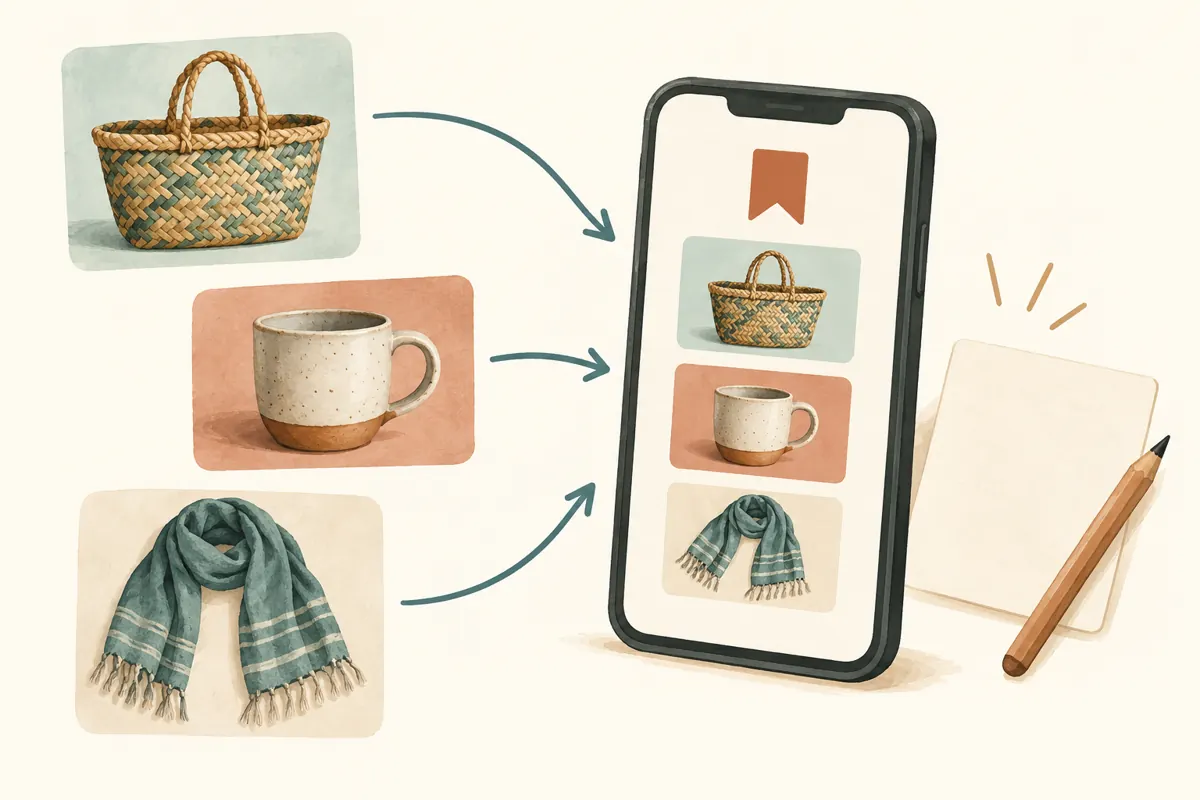
In this hypothetical example, a Phnom Penh gift shop wants to feature a set that customers can collect before visiting family. Its owner is considering a woven basket, a ceramic cup and a folded cotton scarf. The immediate question is practical: which combination can the shop explain, package and supply confidently? Choosing the most attractive old photograph would leave too many details unresolved.
Write a selection brief before collecting references. Specify the intended occasion, collection area, preparation time and what the customer needs to decide. For this example, the brief is a compact gift with packaging that can be shown clearly. These are proposed editorial criteria, not claims about Cambodian shoppers generally. A Siem Reap shop serving travellers might instead prioritise dimensions and protection during transport.
Set up a personal collection in Saved Messages
Telegram’s official Saved Messages guide describes a place for notes and forwarded messages, including links and media. Open Saved Messages and send yourself a short note containing the selection brief. Forward relevant messages there when forwarding is available, or add your own product notes. Keep the initial collection small enough to review in one sitting.
Telegram also documents a choice between viewing saved items as messages or grouping them by their source chats. Its Premium tags can filter saved items, but this workflow can use ordinary written keywords instead. Choose a consistent phrase such as GIFT REVIEW and include it in each note you create. Telegram’s official announcement explains these features; the selection method here is an editorial recommendation.
Treat the collection as the owner’s working space. When another employee needs to approve a product, send a deliberate summary through the shop’s agreed work channel. Do not assume that saving something personally has notified a colleague or created a shared assignment.
Save a reason alongside every reference
A photograph alone rarely explains why it was saved. Add a separate note identifying the product, its source and the question it helps answer. A hypothetical entry might read: GIFT REVIEW — cream cup — saved for its compact shape — confirm current colour and whether the protective insert fits. Include the date of your review so that an old decision is recognisable later.
Use the same small set of fields each time: item, reason to consider it, uncertainty, next check and person responsible. Keep the source link when one is available and appropriate to retain. The note should let you resume the decision without reconstructing the whole conversation. Avoid copying private customer details into a product planning collection.
Distinguish a reference for appearance from a product actually available to sell. A maker’s photograph might suggest a useful packaging angle, while your own stock photograph establishes what is on the shelf. Mark those roles explicitly. Saving an image does not by itself establish permission to reuse it in advertising.
Sort candidates by readiness
Give each candidate one written status: ready to inspect, waiting for information, or unsuitable for this promotion. These are your own labels, not a required Telegram feature. A basket with uncertain dimensions belongs in the waiting category. A scarf that cannot arrive before the planned collection window belongs outside the current selection, even if its photograph is appealing.
Resolve the uncertainty most likely to disqualify an item first. If the cup cannot be packaged safely with the basket, polishing its caption achieves little. If the intended colour is unavailable, ask whether an alternative serves the same buying situation before making a new image. This order keeps the shortlist tied to an offer the shop can fulfil.
Avoid elaborate scoring systems for a simple choice. A short explanation is usually more useful than assigning invented points for attractiveness or likely demand. Record why one candidate remains suitable and what evidence would change that decision.
Check the saved idea against physical stock
Bring the shortlisted references to the counter or stockroom. Compare colour, size, material, included pieces and packaging against the actual items. In the hypothetical shop, the saved cup image is blue, but the available batch is cream. That difference requires an updated photograph and description before the promotion is ready.
Assemble the proposed set once. Check whether the cup moves inside the basket, whether wrapping hides an important detail, and whether the scarf shown in the picture is included. Ask the staff member responsible for packing to confirm what they can reproduce. A sample assembled only for photography can create an offer that ordinary packing work cannot match.
Record what was checked and when. Confirm the selling price, currency, packaging charge if applicable, and collection arrangements through the shop’s normal process. Saved references help organise the decision; they should not replace the stock record or become the authority for a price that has since changed.
Turn the chosen set into one clear public offer
Create a fresh post from the verified selection. Lead with what the set contains, then explain the choice a buyer must make. For the hypothetical example, the useful question is whether the customer wants the basket with the cup only or with the scarf included. Photograph each offered combination clearly enough that the difference does not depend on a hurried reply.
State the practical next step: ask about current availability, confirm the combination and agree a collection time. If sending a message does not reserve stock, say when a reservation becomes confirmed. Use Khmer, English or both according to the shop’s actual audience, and have a fluent reader check any translated product details.
Keep internal doubts out of the finished offer by resolving them first. Do not forward an entire supplier conversation as the promotional post. It can contain outdated prices, unrelated variants or personal information. Use approved images and write a concise explanation based on what the shop has verified.
Make the SMM panel decision after the offer is usable
A relevant catalogue example supplied for sabysmm.com is Telegram - Post Views ~ 1 post ~ 𝐍𝐎 𝗥𝗘𝗙𝗜𝗟𝗟 ~ 100k/days ~ INSTANT. Its title identifies a post-view service associated with one post. The supplied description is empty, so the wording does not establish how delivery works, who the audience is or whether any viewer could buy from this shop. Treat the speed and refill wording as catalogue labels requiring clarification, not verified outcomes.
Decide whether the service addresses the actual problem. If buyers cannot distinguish the gift combinations, improve the photographs. If staff cannot answer availability questions, organise that response first. If the objective is local enquiries, purchased views cannot demonstrate that Cambodian customers saw the offer or intended to purchase. A higher counter does not establish sales, advertising delivery or official platform affiliation.
If the shop still considers a panel request, review the current service terms and applicable platform rules before committing. Keep its target and order record separate from the product shortlist. The shortlist contains preparation material; only the final intended public post should be evaluated as a possible service target.

Learn from the questions people actually ask
Once the offer is public, collect recurring buying questions in brief, anonymous notes. Useful categories include packaging, collection timing, colour choice and what the set includes. Do not store a customer’s full conversation merely to remember that the dimensions were unclear. Record the information gap and the change that would address it.
For example, a hypothetical enquiry asking whether the cup is included suggests that the photograph or caption needs clarification. It does not prove demand for every item in the basket. Likewise, a request for delivery outside Phnom Penh is a request to assess, not evidence that the shop already serves that location.
Keep public view counts, panel delivery records, enquiries and confirmed orders as separate observations. If you ask customers how they found the post, record their answer without filling in missing attribution yourself. This provides a more useful basis for the next product selection than treating all visible activity as buying interest.
Avoid the mistakes that turn a shortlist into clutter
Saving every attractive product creates another feed to scroll through. Collect only items relevant to the current brief, and explain each inclusion. Repeatedly saving the same product from different conversations can also conceal conflicting information. Keep the useful references, but identify which source supports the current variant and which is only historical.
Another mistake is letting a saved note sound more certain than its evidence. Replace vague statements such as available soon with a specific unresolved question and a person to ask. Do not carry an old approval forward automatically when the maker changes a material, the shop substitutes a component or the collection window moves.
Finally, avoid publishing a supplier’s popularity claims as your own product evidence. A forwarded view counter or enthusiastic comment says little about the set you have assembled. Explain the contents and fulfilment arrangements directly, using claims the shop can support.
Close the selection when the promotion ends
Add a closing note to the working collection when the offer is retired or replaced. State which set was selected, what changed during preparation and which questions remain useful for a future promotion. Mark outdated price or availability notes clearly so they are not mistaken for current instructions during the next busy period.
Keep reusable knowledge specific. Cup needs a fitted insert is more useful than gift campaign went well. If the promotion produced no clear buying feedback, record that limitation rather than inventing a conclusion. The next selection can then begin with a better packing check, a clearer photograph or a narrower buying question.

Frequently asked questions
Do I need Telegram Premium to follow this workflow?
No. The core method uses saved references and notes you write yourself. Telegram documents tags as a Premium feature, but a consistent written keyword is enough for this small shortlist. Start with the simpler approach and consider extra organisation only if finding your notes becomes difficult.
What if a product message cannot be forwarded?
Do not try to bypass the sender’s restrictions. Write your own factual note about the product and ask the supplier for information or an image they authorise you to use. If you cannot verify a key detail, leave that candidate waiting rather than building a public offer around it.
Should I keep supplier prices in the same collection?
Keep only what you need for the selection, and distinguish internal costs from customer prices. Before publishing, confirm the actual selling price through the shop’s normal records. When passing material to a colleague, prepare a focused summary so internal pricing or unrelated supplier messages are not accidentally included.
Can a post-view service tell me which gift set customers prefer?
No. Purchased views do not establish preference, local audience origin or purchase intent. Compare the specific questions and confirmed choices customers make, while acknowledging incomplete evidence. If customers keep asking about one component, investigate that question before deciding to change stock or expand the offer.
Explore the current service catalogue, create an account, or ask a specific question through support tickets.
- Telegram: Saved Messages 2.0, One-Time Voice Messages and 8 More Features
- Telegram: Albums, Saved Messages and Better Search
Prepared with AI assistance. Illustrations explain the workflow and do not represent customer results.